
Adding Miners
The Taostats Pro Mining dashboard is a Taostats Pro tool for miners to monitor their operations across subnets. Add your miner coldkeys and the dashboard gives you a live view of hotkey status (immune, danger, deregistered), earnings per hotkey and per coldkey, and alpha balances aggregated across subnets.
Use it to:
- Track all your miner coldkeys and their hotkeys in one place.
- See which hotkeys are at risk of deregistration before they drop off.
- Compare earnings across subnets and time periods (day / week / month).
- Aggregate alpha and TAO balances across every subnet you mine.
Open it at taostats.io/pro/mining.
Enter your coldkey wallet in the search bar:

Save this coldkey (and the coldkey of other miners) to quickly access miner details.
Coldkey Details
Once a miner coldkey is added, basic statistics appear:
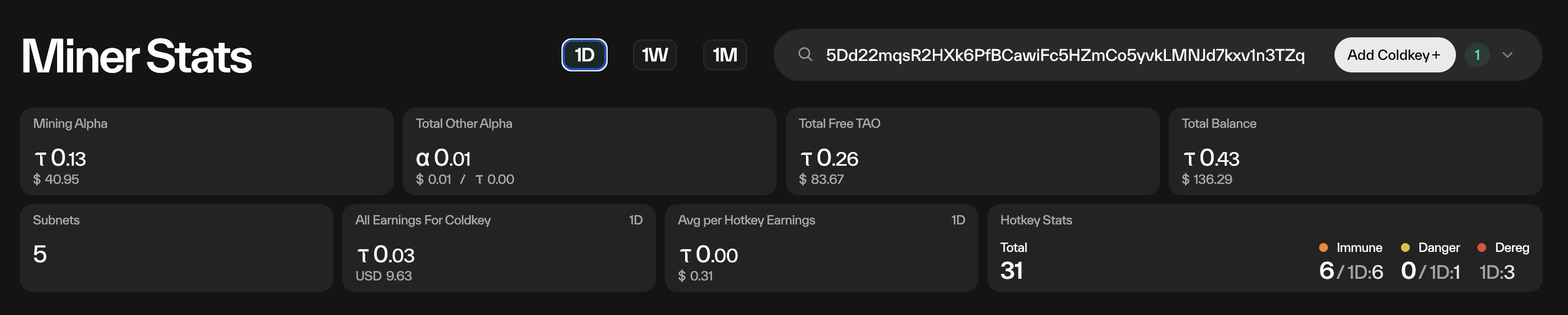
- Miner Alpha: A Sum of all alpha held in miner hotkeys (converted to tao).
- Total Other Alpha: Alpha staked on validators.
- Total Free Tao: Free tao
- Total Balance: Total tao/alpha held by the coldkey
- Subnets: Subnets where the miner is actively mining.
- All Earnings for Coldkey : Earnings over the last day, week or month (based on selection at top)
- Average Earnings per Hotkey: Tao/USD earning per hotkey over a period.
- Hotkey Stats:
- Total:: total number of hotkeys
- Immune: current count (and total count over the period) of immune miners.
- Danger: Danger Zone are miners close to being deregistered
- Dereg: Count of miners dereged.
Coldkey Table
The coldkey table has one row for each subnet that each saved coldkey has active miners on.
In this screenshot, we see just one coldkey, with active mining on 6 subnets:
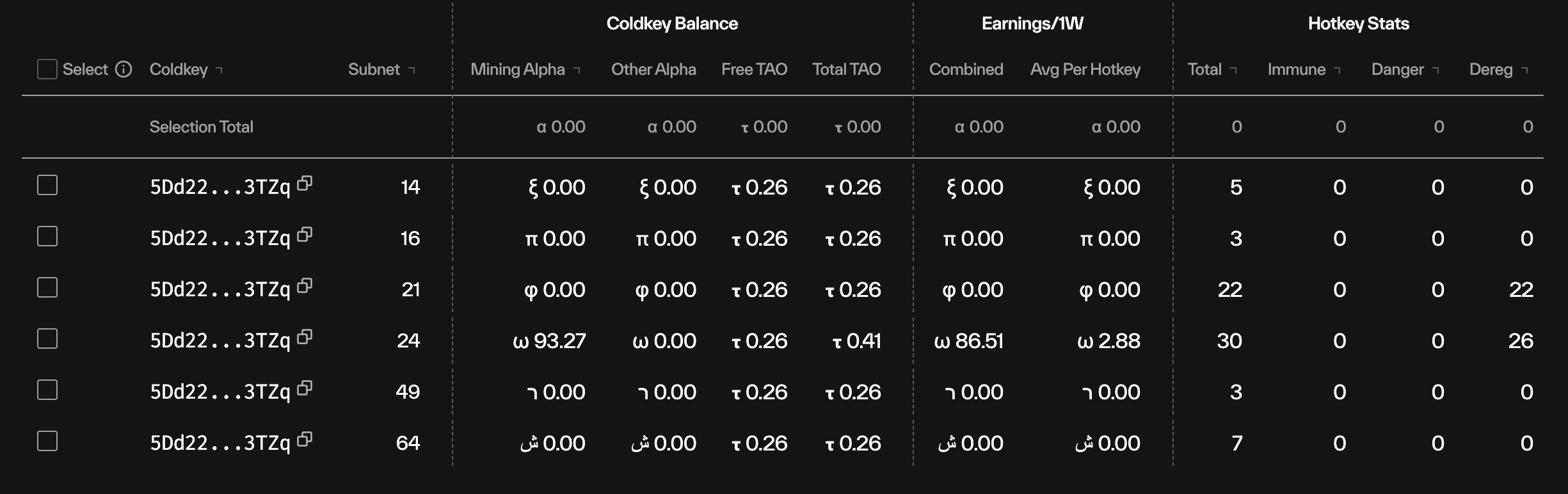
Selecting a coldkey (or multiple coldkeys on a single subnet) will provide a total:
- Coldkey: list of saved coldkeys
- Subnet: subnets that the coldkeys are active on
- Coldkey Balance:
- Mining Alpha: Alpha on hotkeys from mining
- Other Alpha: Alpha on hotkeys from staking
- Free Tao: free tao on the coldkey
- Total Tao: total (alpha + tao)
- Earnings <time>
- Combined: sum across all hotkeys
- Av per hotkey: Average hotkey earning
- Hotkey Slots
- Total: Count of hotkeys active in timeframe
- Immune: number immune
- Danger: number in danger
- Dereg: number deregistered
Hotkey Table
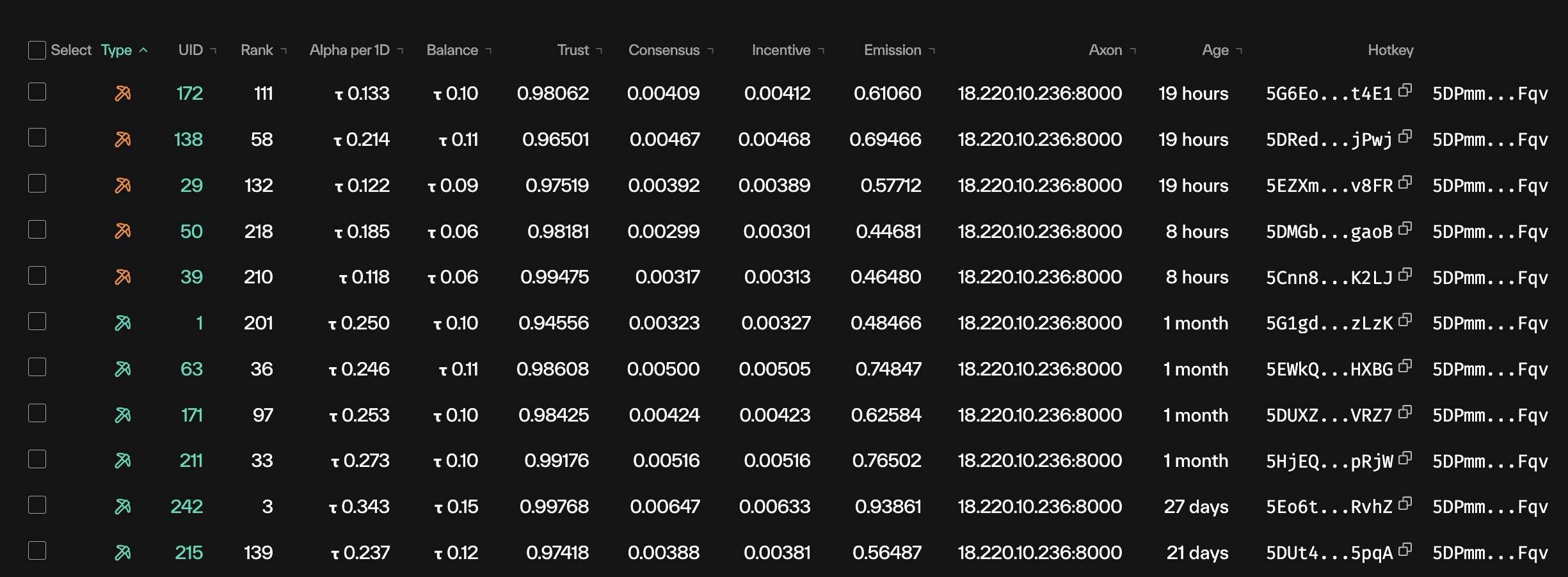
Choosing a coldkey/subnet combination in the coldkey table will display all of the active hotkeys in the period.
Updated 21 days ago